If AI goes wrong, you'll still have the answers.
A US$29 backup of the answers you'd normally ask AI for: a small AI, Wikipedia, WikiMed and US mapsNZ mapsNZ maps now (Australian maps being added), kept on your own laptop.
It keeps working with the Wi-Fi off, with no account and no login, on an ordinary Windows 10 or 11 laptop (Mac version coming) with 8 GB of RAM. If the day never comes, you still own a very good offline library.
Not on sale in the US yet. Join the list and we'll email you once when it is.
One payment, instant download, 30 days to change your mind.
Made in New Zealand.
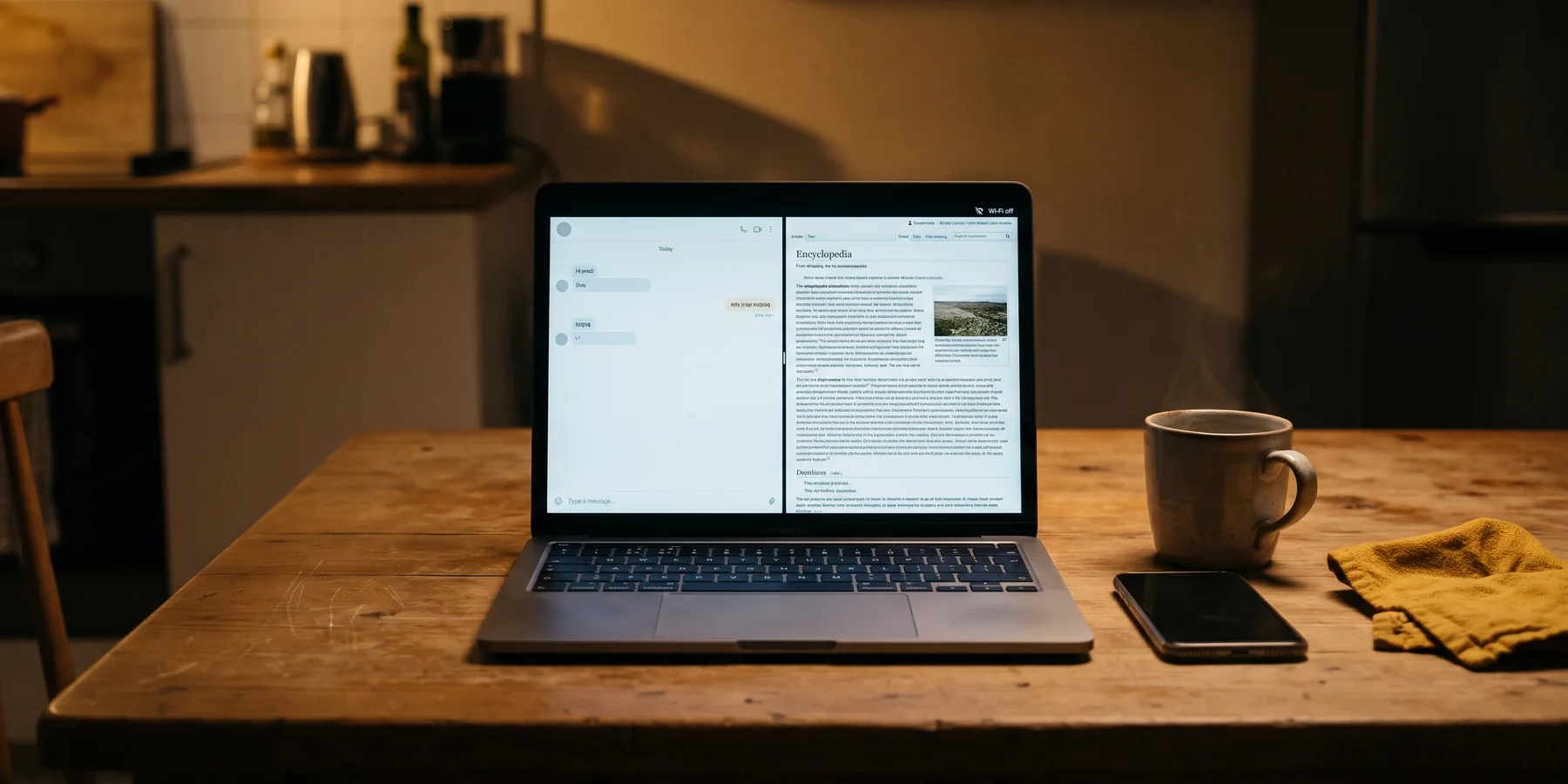
Offline assistantWi-Fi off
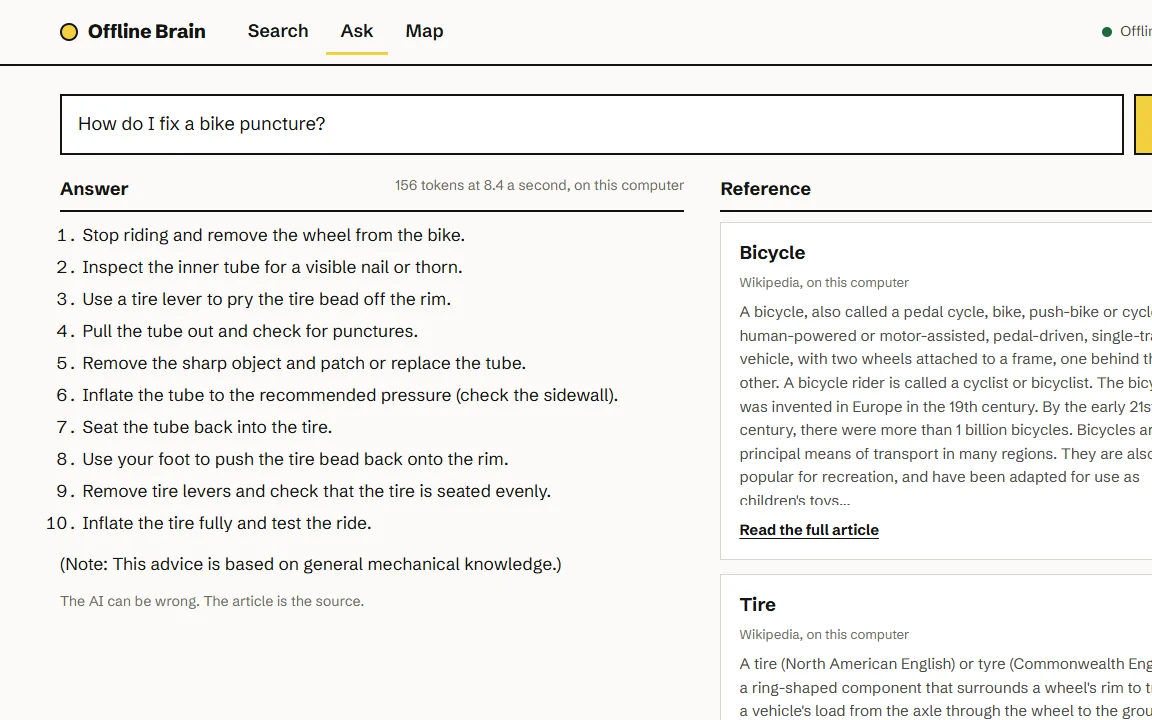
How do I fix a bike puncture?
1. Lever one side of the tyre off the rim.
2. Pump a little air in, listen for the hole.
3. Roughen, glue, patch, refit, pump.
Check it: Wikipedia, "Bicycle tire".
How answers look: short steps, plus the article to check them against.
Everything you ask lives on someone else's server, under their rules.
Think about what you asked an AI this week. A recipe, an error message, what a warning light means. Each answer came from a data centre you'll never see.
You can't choose when it's up. Every online service has bad days. OpenAI lists its own on a public status page, dated. Most are partial: one feature down, slower answers, or more errors than usual.
You can't choose what changes. Plans, limits and models change on the provider's timetable, not yours.
And none of it is stored with you. When the service or your connection is down, the answers are too.
OpenAI's status page posted 25 incidents in 30 days. See the history
Counted from status.openai.com, read 1 Nov, 15:08 NZT. Most were partial, not full outages, which is normal for any big online service. We don't claim AI will fail. We just don't think your answers should depend on it.
Keep a copy at home, like a torch in the drawer.
You don't buy a torch because you expect a power cut tonight. You buy one because it's cheap and it's there when you need it. The Offline Brain is the same idea for answers: a copy on your own laptop that needs no cloud, no signal and no login. Set it up once and it stays there.
The backup, in one download.
One installer sets up the AI, Wikipedia, WikiMed and a US map packa NZ map packNZ maps now (Australian maps being added) on your laptop, plus a printable playbook for the first hour, day and week of an internet outage, sent free by email by Fri 20 Nov. Every answer shows the article it came from, so you can check it.
US$29 once is about six weeks of ChatGPT Plus at US$20 a month, and this one you keep.NZ$49 once is about five weeks of ChatGPT Plus at NZ$40 a month, and this one you keep.A$45 once. ChatGPT Plus is US$20 a month, and this one you keep. If it's not for you, ask for your money back within 30 days.
ChatGPT Plus price from OpenAI's help centre, read 1 Nov 2026.ChatGPT Plus price from ChatGPT's pricing page in New Zealand, read 1 Nov 2026.ChatGPT Plus price from OpenAI's help centre, read 1 Nov 2026. The full list, with sources.
It runs on your laptop, not a server.
The AI is a small 4B open model, about 2.7 GB, that runs on a laptop with 8 GB of RAM and no graphics card. Your questions never leave your laptop.
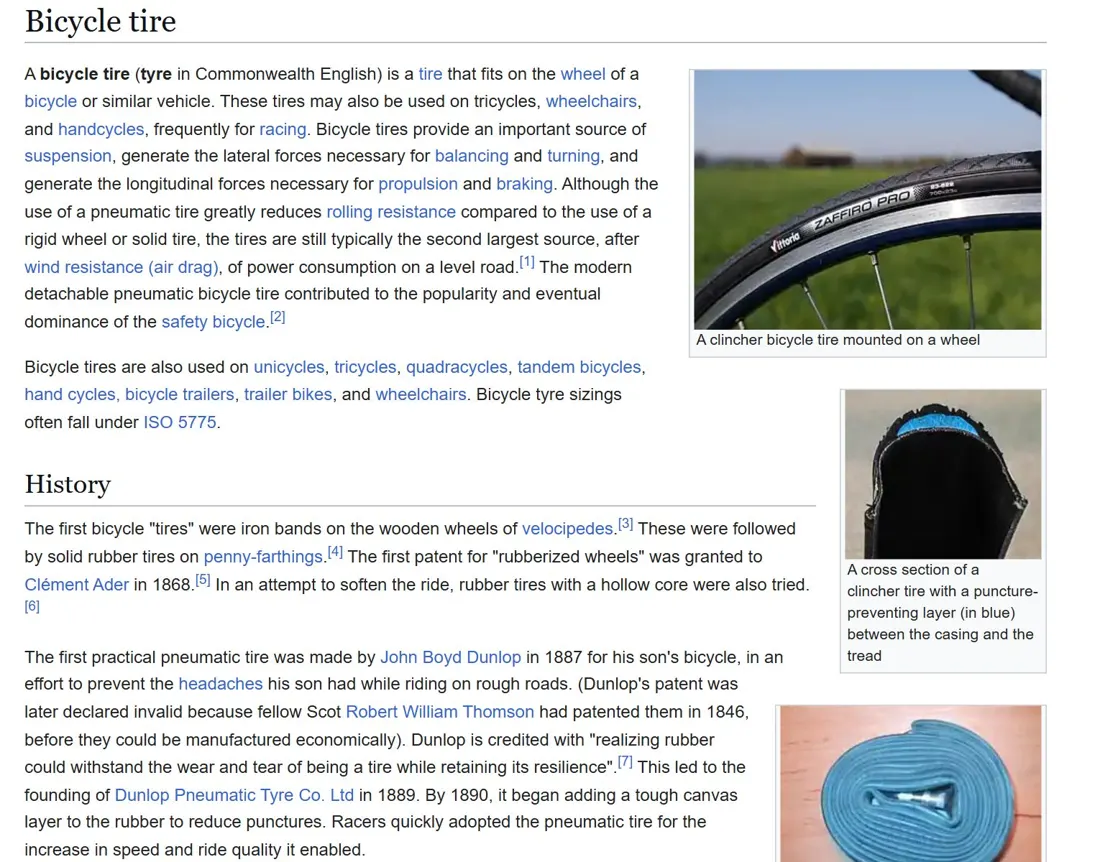
It's weaker than ChatGPT and can be wrong, so the Wikipedia or WikiMed article it used sits beside every answer. On the right: a real screenshot of Wikipedia's "Bicycle tire" article in the Kiwix reader, Wi-Fi off.
30 minutesto download Essentials on a 100 Mbps line. Full takes about 3 hours.
Set it up in one evening, then it's there.
You need the internet once. The installer checks your free space, fetches each file from its official source, checks every file against its published checksum and sets up the start page. After that nothing needs a connection, an account or a login.
The first minute
Buy and download
You get the installer, the setup guide and the licence file by email straight away. The printable playbook follows free by email by Fri 20 Nov.
The next half hour or so
Run the installer
It fetches Wikipedia and WikiMed from Kiwix's mirrors, the AI from its publisher and your map pack from us. Leave it running.
From then on
It's there when you need it
Open the start page with the Wi-Fi off. Search, read the map, ask the AI. On Windows 10 or 11, on laptop battery.