Skip to content
Offline Brain
AI in the news

Offline Brain / What's on it

The full list, with sources

Your own offline AI and the library to check it. Every piece, where it comes from and its licence. We sell the choosing, set-up, testing and updates. The content belongs to the people who made it, and we credit every one.

Top-down flat lay of everything in the Offline Brain: laptop showing the offline assistant and Wikipedia, the printed playbook and a phone with the Kiwix app
1

Wikipedia, English 17.13 GB or 127.42 GB

Searchable offline in your browser. Essentials is the 1 million most-read articles, full text, no pictures (17.13 GB). Full is every English article with images (127.42 GB, which Windows shows as 118.7 GB). Both are included; you pick one in the installer. Sizes are the Kiwix builds from April and August 2026; newer builds come with updates.
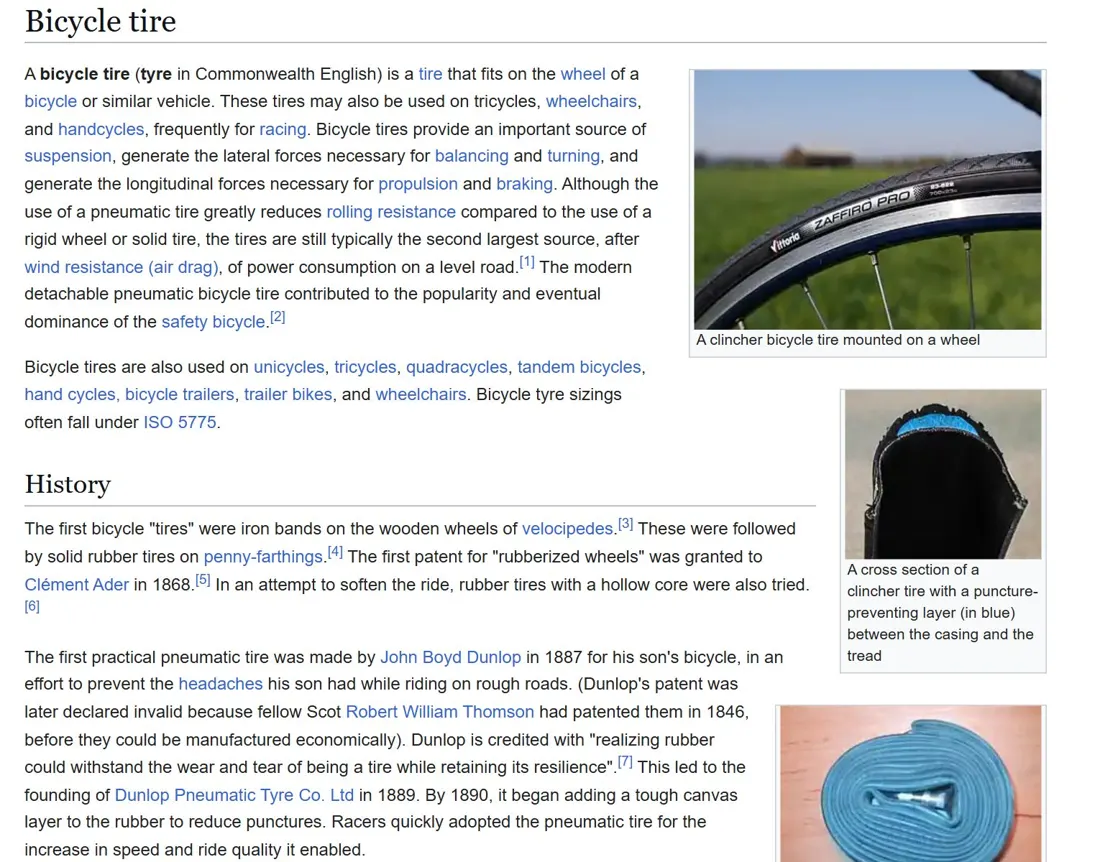
Real screenshot of a Wikipedia article in the Kiwix reader
Real screenshot: Wikipedia in the Kiwix reader (Aug 2026 build). Wikipedia text CC BY-SA; images under their own free licences.
Source
Kiwix, from Wikipedia
Licence
CC BY-SA 4.0
2

WikiMed 1.86 GB

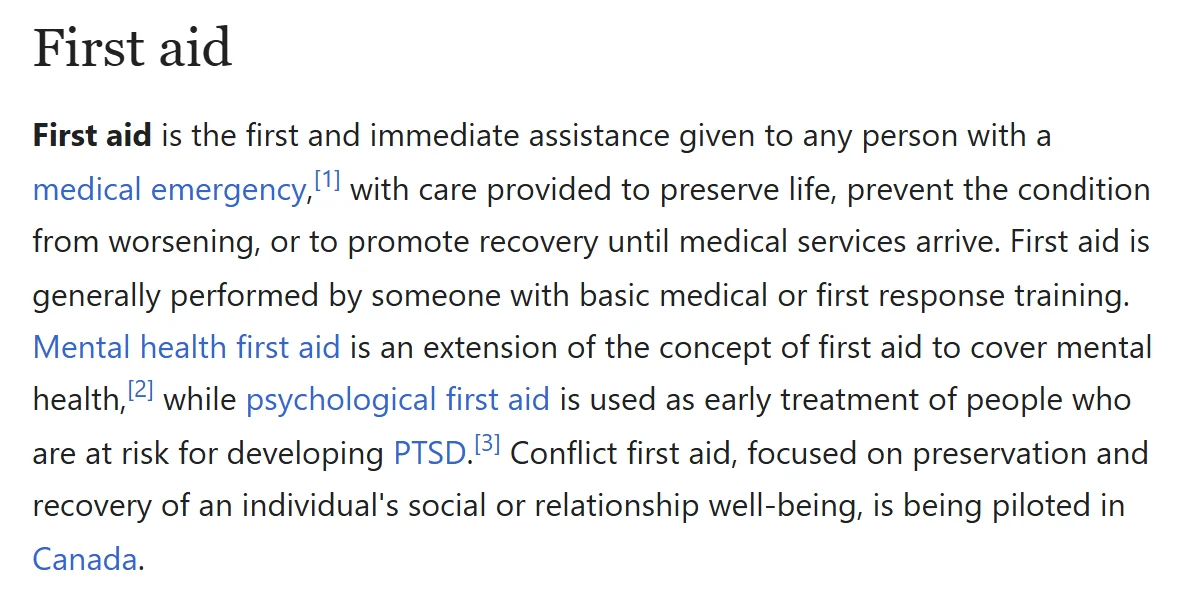
The medical encyclopedia drawn from Wikipedia's medical articles, Kiwix build of October 2026. Reference reading when you can't get online, not medical advice.

Wikipedia's "First aid" article in a clean reader view
Wikipedia's "First aid" article, screenshot taken 1 Nov 2026. Text by Wikipedia contributors, CC BY-SA 4.0.
Source
Kiwix
Licence
CC BY-SA 4.0
3

US map pack 0.5 to 1.5 GB

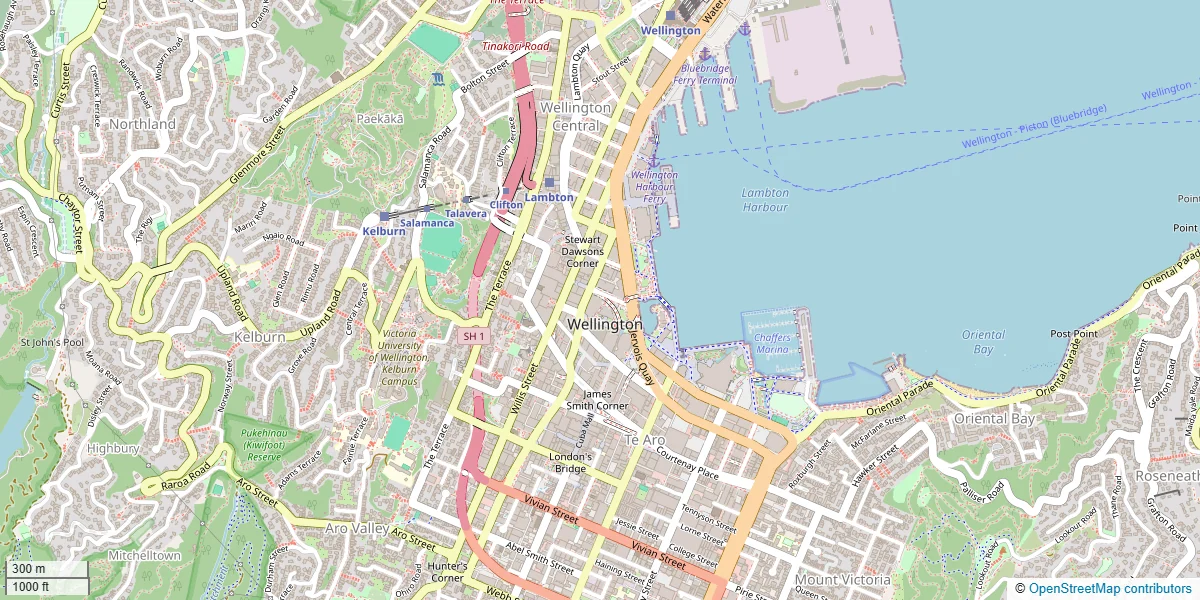
From OpenStreetMap: roads, tracks, towns and landmarks down to street level, prepared by us to read offline. One state of your choice, with more available in the installer.

OpenStreetMap street map of central Wellington
OpenStreetMap data of central Wellington. The map pack uses the same data in its own style. © OpenStreetMap contributors, ODbL.
Source
OpenStreetMap
Licence
ODbL, © OpenStreetMap contributors
4

Your own offline AI 2.71 GB

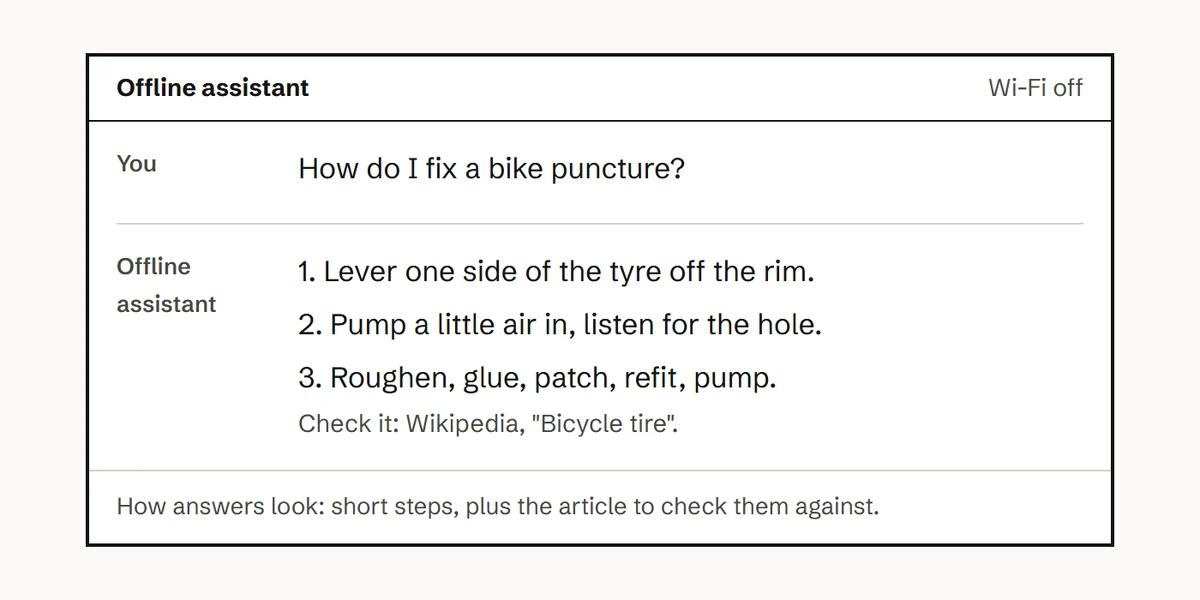
A small 4B open model under the Apache 2.0 licence, set up to run on a laptop with 8 GB of RAM and no internet. It answers in plain steps, no lecturing, and shows the article it used. It is less capable than the big online models, so check important answers in the article beside it.

Mock-up of the offline assistant answering "How do I fix a bike puncture?"
Mock-up of how answers look: short steps, plus the article to check them against. Not a screenshot of the finished app.
Source
Named in your download, with its licence
Licence
Apache 2.0, shipped with the model
5

"When the internet goes down" playbook

Our own short guide: what to do in the first hour, day and week of an outage, with links to official emergency information. Print it and keep it by your laptop.

The printed When the internet goes down playbook, open on a table
Source
Offline Brain
Licence
Yours to print
6

iFixit repair guides

iFixit's guides are licensed for non-commercial use, so we don't sell them. The setup guide shows you how to download them yourself, free.

Source
iFixit
Licence
CC BY-NC-SA, link only

Everything above, in one download.

All of it is free to find online. You're paying for the choosing, the setting up, the testing and 12 months of updates, with 30 days to change your mind.

Available now

Digital download

Offline Brain

US$29one payment

  • Items 1 to 5 above, plus how to get iFixit free
  • You run the installer once
  • 12 months of updates
Get the download

Prefer it on a USB, ready to plug in? Join the waitlist.

Set up in one evening