For New Zealand
Your own AI that no one can switch off.
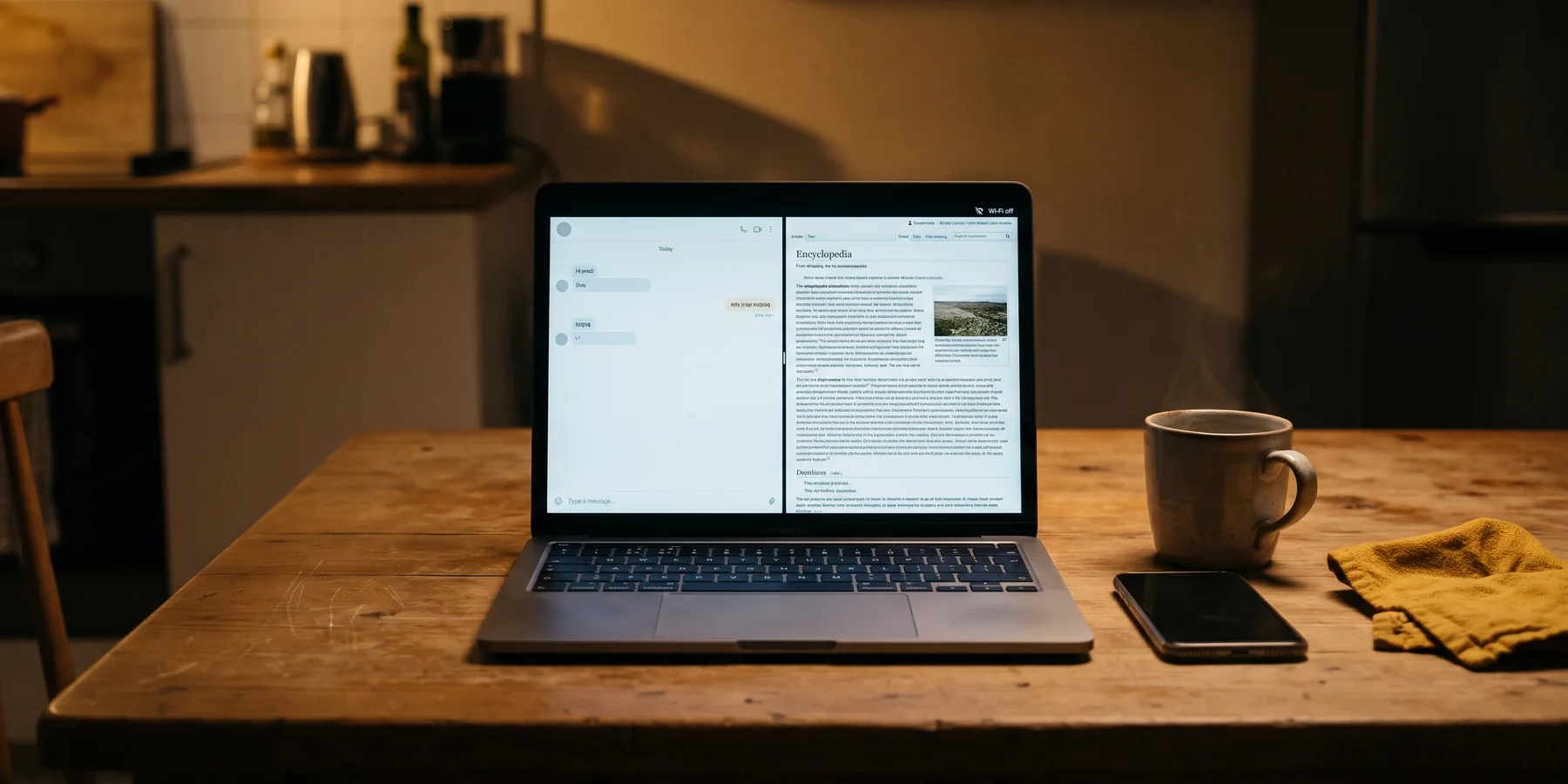
Ready-made, private and offline. A NZ$49 download that sets up a small AI on your laptop, with Wikipedia, WikiMed and a map of New Zealand beside it.
Your questions never leave your laptop. There's no account and no login, and it keeps answering with the Wi-Fi off. It runs on an ordinary Windows or Mac laptop with 8 GB of RAM.
One payment, instant download, 30 days to change your mind.
Offline assistantWi-Fi off
How do I fix a bike puncture?
1. Lever one side of the tyre off the rim.
2. Pump a little air in, listen for the hole.
3. Roughen, glue, patch, refit, pump.
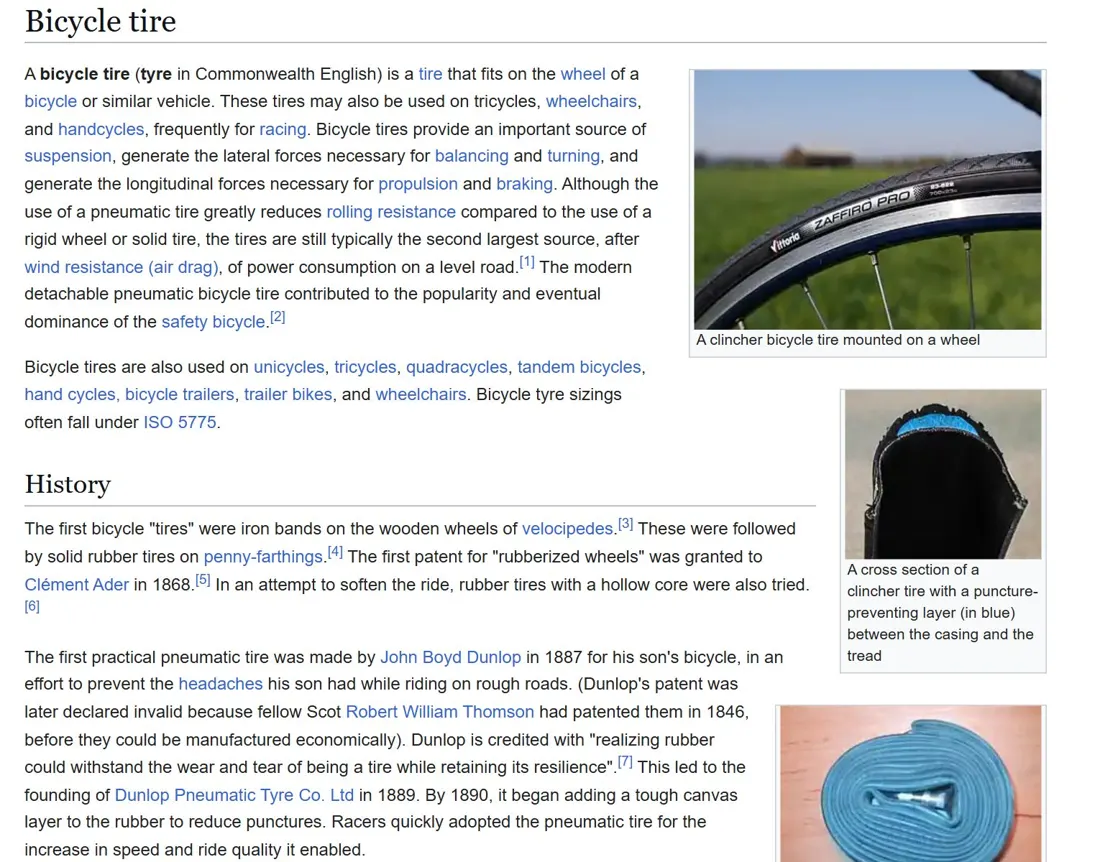
Check it: Wikipedia, "Bicycle tire".
How answers look: short steps, plus the article to check them against.
Everything you ask lives on someone else's server, under their rules.
ChatGPT, Claude and Gemini answer from data centres you'll never see. That works well most of the time. It also means the company decides when it's up, what changes and what happens to your questions.
It can go down. Every online service has bad days. OpenAI lists its own on a public status page, dated. Most are partial: one feature down, slower answers, or more errors than usual.
It can change. Plans, limits and models change on the provider's timetable, not yours.
It sees what you ask. What you type goes to their servers and is handled under their privacy policy, not yours.
OpenAI's status page posted 25 incidents in 30 days. See the history
Counted from status.openai.com, read 1 Nov, 15:08 NZT. Most were partial, not full outages, which is normal for any big online service. More on AI Watch.
Civil Defence plans for the power going out. This covers the questions.
Get Ready, the Civil Defence preparedness site, suggests a solar- or battery-powered radio, or your car radio, to keep up with the news if the power goes out.
A radio tells you what's happening. The Offline Brain is for the other questions: how to do something, what a word or a symptom means, where a road goes. It runs on your laptop's battery with no internet.
Your household plan comes first, and Get Ready shows you how to make one. In an emergency, call 111. We're a small New Zealand business, not part of Civil Defence.
A private AI now fits on an ordinary laptop.
Small open AI models now run without the cloud. Ours is a 4B model, about 2.7 GB, that runs on a laptop with 8 GB of RAM and no graphics card. You ask in plain English, the way you'd ask ChatGPT.
It's weaker than ChatGPT and can be wrong. So every answer shows the Wikipedia or WikiMed article it used, and you can read that article yourself. On the right: a real screenshot of Wikipedia's "Bicycle tire" article in the Kiwix reader, Wi-Fi off.
All of New Zealand, offline
The NZ map pack is the whole country from OpenStreetMap: roads, tracks, towns and landmarks down to street level. It takes 634 MB on your laptop and opens with no signal.
Also in the download: the AI, WikiMed, and Wikipedia in the size you pick. Essentials is the 1 million most-read articles as text (about 22.4 GB in total). Full is every English article with images. Both are in the one price, and you can switch in the installer.
For the radio part, there's our crank and solar radio (NZ$69) and a backup power bank (NZ$79, specs being verified), delivery included. See the add-ons.
30 minutesto download Essentials on a 100 Mbps line. Full takes about 3 hours.
Set it up in one evening, then turn the Wi-Fi off.
This is the part we do for you. The installer checks your free space, fetches each file from its official source, checks every file against its published checksum and sets up the start page. If the connection drops, it carries on where it stopped.
Your own copy of the answers, for the day the cloud goes quiet.
NZ$49, once. That's about five weeks of ChatGPT Plus at NZ$40 a month, except this one you keep.One payment, and this one you keep. It won't replace ChatGPT. It's the copy that's still yours with the Wi-Fi off. If it's not for you, ask for your money back within 30 days.
ChatGPT Plus price from ChatGPT's pricing page in New Zealand, read 1 Nov 2026.
Bought once, kept up to date for a year
For 12 months we email you when a new tested build is ready, with a one-click update. After that, it keeps working exactly as it is.
Rather have it on a USB?
We're gauging interest in a pre-loaded drive. Join the waitlist: no payment, one email if pre-orders open.